Welcome to iHCPL: The Next Generation. This site was created as the next step in Harris County Public Library's iHCPL Learning 2.0 Program; a discovery learning program designed to encourage staff to explore new technologies. The original iHCPL program was adapted from The Public Library of Charlotte & Mecklenburg County's Learning 2.0 Program.

Tuesday, April 7, 2009

Money & Finance #58: Banking, Budgeting, and Spending

In today’s tough times, everyone is watching their money a little more closely. But did you know you can watch it online and find ways to better organize your finances? There are two posts in the Money & Finance module. Library staff who complete both posts will receive two hours of training credit.

Because financial information is very personal and private, before you consider using online financial sites, please review Online Safety & Sharing from the original iHCPL and Internet Safety. Please note that most banks have secure sites.

Many banks nowadays offer traditional banking services online including balance inquiries, money transfers and even bill paying. It’s a great way to check on your bank accounts daily to keep track of purchases and also helps the planet by eliminating paper statements and bills.


Money
Originally uploaded by Tracy O


Some of the more popular banks that offer online services are:
There are also several sites out there that allow you to link multiple bank accounts into one service to see collectively where your money goes. One such site created by the guys at The Motley Fool is called Mint. After setting up your account on Mint and adding your banking information, it can help you see where your money goes each month in relation to several categories. Add your credit card information and Mint will also help you find lower interest rates and set up payment schedules to help you pay off your debt quicker. Mint can also help you set up a budget for your household and gives you many tips and techniques on how to better budget your money.

Other sites offering free budget help like Mint are:
Do you have friends and family that you are always lending money to (or borrowing money from)? There are several services that also let you keep track of those IOU’s so you can truly stay on top of where your money goes. Check them out at:

Walking on a Coin
Originally uploaded by Darren Hester
Once you figure out where all your money is going to, then you can begin to think of ways to cut back or save money.

Check out the Do You Have a Spending Problem? quiz to see if you’re already a savvy spender.

And then check out Spend Less on Everything from Consumer Reports for ideas on how to cut back on your spending without cutting back on your life.

Exercises:

1) Does your bank offer online banking? Is it free or fee based? If so blog about your experiences with online banking. What features do you like or dislike? If your bank doesn't offer online banking, blog why they should or should not consider adding it. What security safeguards does the bank offer when you use online banking? What safeguards can you use when banking online?

2) Take a look at several of the budgeting tools listed above. Do you see any that you particularly like? Can you see yourself using these? Test them out and blog about your reactions.

3) Read the article on ways to cut back on your spending. Blog about 2 or 3 ideas mentioned that you'd like to incorporate/implement into your financial plan.

This module brought to you by Monica Norem (CYF), Rhiannon Perry (LAP), & Melanie Metzger (CYF).

Wednesday, March 25, 2009

Pot Luck #57: TXT U L8R - Texting

This module on Texting is required for all staff. It is worth .5 Training hours and will be available through May 31, 2009. For this module only, you do not need a blog. You can do the exercise on the Registration Form.

Text messaging has become extremely popular. When you send a text message from your phone, you use SMS, which stands for Short Message Service. According to a Nielsen Mobile survey, the average adult cell phone user sends and receives about 357 text messages a month; teens on the other hand, can use up to a couple thousand. You can use text messaging to communicate with friends and family, vote for your favorite on American Idol, or get updates from some websites. With the rise in popularity of texting is it any wonder that people think they can do it while they're driving? The New York Times discusses the danger of driving while texting in this article.

Even if you don’t send text messages very often, it is a good idea to know how to send them. There may be situations in which you must preserve the life of your cell phone battery. For example, when Hurricane Ike passed through and left us without electricity, many people were texting instead of making calls from their phones for the simple reason that texting worked. Sending text messages does not drain your battery as much as making a call would. Another problem was that too many people were trying to make calls from their cell phones and couldn’t get through.

Cell phone carriers charge you for every text message that you send and receive, unless you have a text message package. There are some websites that will allow you to send messages to other cell phones for free (for example txt2day.com and Free Text Messaging). Most cell phone carriers allow you to do this from their site if you have an account with them.

Have you ever seen a text message you can’t understand? There are many websites where you can learn text message lingo. On the website Lingo 2 Word, you can translate the message into plain English.

So how do you send a text message?

Cellular & Mobile Phones: How To Text Message

Mobile Phone
Originally uploaded by incurable_hippie
  1. Select the menu option on your cell phone.
  2. Find and select "messages."
  3. Select "text messages"
  4. Type in the cell phone number of the person(s) you want to text and click "OK" to confirm
  5. Select "write or compose message" or similar from the "messaging Menu"
  6. Type your message using the keypad. Text messages are generally limited to 140-160 characters.
  7. When done, select "OK" or "SEND"
See this step by step guide for more tips. Many cell phones have a traditional phone keypad, which shows numbers and letters. If you press the number 2 you will get an a. If you press it a second time, you will get a b, a third time will get you a c. If you continue you will get the number and capital versions of each letter.

Reading/Receiving a Text Message
When you receive a text message you should have an alert on your phone. It may be in the form of an envelope icon or you may have an alert asking if you want to read the message now or later. To view all messages received:
  1. Select the menu option on your cell phone.
  2. Find and select "messaging."
  3. Select "text messages" or "inbox."
  4. Click on the message to view
  5. Select reply to respond to the message.
Exercise
Write a blog post about text messaging. Include the following in your post:
  • Have you ever sent a text message?
  • If you haven't, be sure to watch the video and read through the basics of sending a text message. Using this information, do you think you could send a message in an emergency?
  • If you have, was it only in an emergency or are you a regular texter?
  • Do you use text lingo? Did Lingo 2 Word help?
  • Finally, what are your thoughts on the texting and driving after reading the New York Times article?
This post brought to you by Daisy Torres (FM).

HCPL Staff: When you have completed the module, Submit your iHCPL: Texting Module registration. Remember, you can do the exercise directly on the registration form.

Monday, March 16, 2009

Potluck #56: To Tweet or Not To Tweet...Twitter

This is the second of three individual potluck posts this month. You can do any or all of the posts to get individual credit. This post is avaialble for training credit through April 30 and is worth 1 training hour.


(c) Bill Barnes & Gene Ambaum Unshelved.com. Used with permission.

If you have yet to hear about Twitter, you are not keeping up with Web 2.0.

The "micro-blogging" sensation is at the top with popular social networking sites such as Facebook and Myspace. According to Compete.com, Twitter is the 3rd largest social networking site (and rising).

What, you might ask, is micro-blogging? According to Wikipedia, it is "is a form of blogging that allows users to send brief text updates (usually 140 characters or fewer) or [items] such as photos or audio clips and publish them, either to be viewed by anyone or by a restricted group which can be chosen by the user."

Twitterverse
Twitter is used in various ways. Many use it for personal accounts, promotional purposes, or sharing information about special interests. Popular twitter profiles include profiles that follow celebrities, give news and weather updates, and even give information about freebies. Celebrity twitterers are also a prominent voice in the Twitter community. Celebrity Tweet keeps tabs on celebrities.

You may not have visited the Twitter site; however, Twitter is becoming the talk of town. Some people wonder if Twitter has a shot at being a long term network. Several sources voice their opinion about Twitter's shelf life and the general consensus is that Twitter is here to stay. For information on Twitter's longevity and popularity, see Entertainment Weekly's The Truth about Twitter, Forbes' Yes, CEOs Should Facebook and Twitter, and Unshelved's Twitter Love.

Twitter is not for everyone. To employ Twitter to its fullest potential, a user should tweet at regularly but not overdo it. For other tips on being an effective user, see 10 Traits of Highly Effective Twitter Users.

Twitter Features, Apps, and Tools
Similar to the features of other social networks, Twitter allows users to:
  • Custom design backgrounds with Twitter templates, non-Twitter sources (such as Twitterbacks), or personal uploaded images.

  • Mark favorite tweets for easy access and view other users' favorite tweets.

  • Make your profile private so that only friends can see your information.

  • Share pics via Twitpic.

  • Users can perform a keyword search that will search everyone's tweets (EVERYONE!).

  • Find people by username or personal name or Twitter will give you suggested twitterers.
Also, users can link other sites to their Twitter account by adding a widget or gadget and can share music, pictures, videos, etc. that they like. Applications on sites such as Facebook will allow status updates from their site to be updated on Twitter. There are cell phone applications such as Twitterberry so you can tweet on the go. There are also a number of applications users can download to their desktops to optimize Twitter such as Twhirl and Tweetdeck.

Twitter Related Sites

Twitter Glossary - With the Twitter explosion, new Twitter-specific terms are used. Some examples:
Hash Tag (#): the "#" sign allows Twitters to tag their conversations to make it easier to find. (e.g. #hcpl)
Twaiting: twittering while waiting
Tweeple: Twitter users
Twitterati: Glamorous A-List twitterers everyone wants to follow.

Twellow- An online directory that allows social network users to list themselves and their profile information for sites including del.icio.us, Flickr, Myspace, Facebook, Twitter, etc.

Twitter Elite- Similar to a directory, you can view Twitterati profiles by location that also include their grade or see top cities that have the most users. These ratings provide a small bio as well as a link to follow them.

Twitip- This is kind of like a blog that posts news and information relevant to the Twitter community. This site posts tips on how to be a good twitterer, how to make friends and other guidelines that are useful for Twitter.

Exercises
1) Browse a couple of different Twitter profiles (news, fashion, celebrities) and read through a few updates. Do you think this is something you would adopt for personal use? Is there a particular topic you'd like to tweet about?

2) Use the search feature to find tweets about a topic that interests you. What were the results?

3) Post your thoughts about Twitter to your blog. For help navigating through Twitter, see their support page.


Optional: Create a Twitter account or subscribe to a feed. For help on subscribing to a feed, visit here.


This post brought to you by Veronica Garza (ADM).


HCPL Staff: Have you completed this exercise? Then Submit your Registration of Completion

Wednesday, March 4, 2009

Pot Luck #55: Getting the Most Out of Facebook

This is the first of three individual pot luck posts this month. You can do any or all of the posts to get individual credit. This post is available for training credit through April 30 and is worth 1 training hour.
Have you heard of Facebook? I'd be surprised if you haven't received at least one invite by a friend to join the fast growing social network. Facebook now has 175 million active users (an increase of 25 million in 5 weeks) and was the second ranked social media site of 2008 by comScore (#1 was Blogger) and now has 175 million active users (a growth of 25 million in one month).

What is Facebook? Facebook is a Social Networking site that was originally created for college students [for an overview of Social Networking in general see Thing 18 in the original iHCPL] and has since expanded to include anyone over the age of 13. It's easy to join - just visit www.facebook.com - and sign up with your name, email address, and a password (you do need to sign-up to do this exercise.

In the original iHCPL, we discussed the importance of online safety. Being aware of privacy issues is important, especially on a social networking site like Facebook, where by definition, you are sharing information about yourself. 10 Privacy Settings Every Facebook User Should Know by Nick O'Neill is a must read as you get started on Facebook. If you're concerned that your coworker will see that photo of you from high school with the bad hairdo, this will tell you how to limit access to that photo.

So, you have an account, now what?

Find Friends
One of the best things about Facebook - or any social network - is connecting with other people. The more information you enter about yourself, the more opportunities you'll have of finding similar people. For instance, if you enter your high school or college(s) you can then search for people in your class. In the "About You" section, you can click on that book, movie, or hobby to find other people who have the same interest. Join a network (Tip: HCPL has it's own Network) and find people that way.

Just because someone requests that you friend them doesn't mean you have to. If you don't know who they are you can 1. Ignore them (they won't be notified) or 2. send them a message and ask how you know them. The friend request will tell you if you have friends in common, which can be a clue.


Add Stuff
Facebook comes with several built in applications including:

  • Status - Tell everyone what you're doing right now. If you Twitter, you can have your Twitter status update your Facebook status automatically (on your profile, click Settings just under your status bar then import activity)
  • Photos - Add photos to your account and tag yourself and/or your friends.
  • Notes - You can add a note to your account, which is similar to a blog. In fact, you can link your blog to your facebook account. This is where you can post the 25 Things About Me meme that has been going around.
  • Post Links - Did you find a cool picture on I Can Has Cheezburger or a video on YouTube that you want to share? On your profile, click Post link and paste the copied link to share it with all your friends. Even easier, grab the Share Bookmarklet. (Tip: Through the Settings mentioned above, you can automatically share your delicious bookmarks, Flickr photos, and more.)
Add Applications
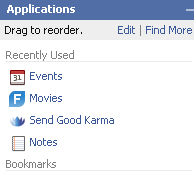
One of the fun aspects of Facebook is the Applications you can add. Applications can range from games, to connections, to the bizarre, to the plain annoying. Applications that are installed are available from the Applications menu in the lower left corner of the screen. The six applications you use most often are available as icons to the right of the menu.

When you click Applications, the menu opens up, showing your bookmarks. At the top, you can edit your applications (including removing ones you don't want anymore) or Find More.
You may also get invitations from friends to take a quiz, add flair, join a game, or in general use an application. As with Friend Requests, it's OK to ignore a request. Your friend won't know if you ignore the request.
So, what are some applications to try?

Books, movies, TV shows, restaurants...
Share your favorite books, movies, etc. through several applications including Living Social: Visual Bookshelf and it's related applications for movies, TV shows, restaurants, and more. Related applications: GoodReads, Shelfari, and LibraryThing, Movies by Flixster.

Take care of a fairy, pet, plant...
There are a wide variety of virtual items to take care of on Facebook. One of the most popular is (Lil) Green Patch, which lets you grown items and "save the rainforest." You can "adopt" a fairy or dog (the developer has other apps for cats and horses) instead if you don't have a green thumb.

Get some flair
Pieces of Flair lets you add virtual buttons that demonstrate your interests. You can send flair to your friends and display your flair on a virtual bulletin board on on your wall. Related application: Bumper Sticker

Give flowers and poke people
Do you have a friend who's feeling down? Why not send them some flowers or good karma? Or, if you just want to let them know you're thinking about them, Super Poke them. There are a multitude of applications to send things to people for all sorts of interests (Library Gifts anyone?) - search Facebook to find more.

Go Mobile
You can take Facebook with you on your iPhone or Blackberry. The mobile applications will send status updates and more directly to your phone.

These apps are just the tip of the iceberg, and in some cases aren't even the most popular. For some more suggestions, check out the Facebook Application Leaderboard on ALLFacebook.

Exercise:
1. If you haven't already, sign up for a Facebook account.

2. Search for people you may know and add a friend or two. Two options are the Search box,and the People You May Know tool (on the home page).
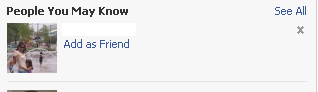
Tip: you generally need to have a friend or two for the People You May Know tool to work. Click See All for options to search by school, or to import your mail contacts.

3. Add an application from one of the above suggestions or search using Find More - you can always delete it. Play around with the application for at least 5-10 minutes.

4. Write a post to your blog about your experience.

If you're new to Facebook - what are your initial impressions? Was it easy to sign up? Did you find anyone you knew? What application did you try? Do you think you'll stick with Facebook?

If you've been on Facebook for awhile - are you a regular user? Did you discover anything new? What application did you try, or if you already have a bunch, what are your favorites and why?

Final Tip, you can permanently delete your Facebook account.

HCPL Staff: Have you completed this exercise? Then Submit your Registration of Completion

Wednesday, February 18, 2009

Books, Readers and Beyond: #54 Social Networking Through Books


You know how popular the books are that have just been returned to the library, but do you know why? People like to see what other people have read, they figure if someone just returned it, maybe it was good. Through social networking - both live and online - you can take this further and get and give recommendations about books.

Let's start with "live" social networking, i.e. book clubs. Book Clubs have been around for years and are a popular way for readers to connect with others. There are a wide variety of book groups ranging from genre discussions to anything goes. So, how do you find a book club that's right for you?

Your first stop should be the list of Harris County Public Library branch book clubs. Do you like mysteries? Cy-Fair, Tomball, and Freeman all have mystery-themed clubs. Like to eat? Octavia Fields' Read It & Eat It book club features books with recipies, which they sample. Are you a Jane Austen fan? You'll find others at Tomball's Jane Austen book club. Just want to connect with other readers? Try West University, Crosby, Katherine Tyra, and many others for general topic discussions.

Other resources for book clubs are:

Houston Great Books Council - The local affiliate of the Great Books Foundation, which promotes the reading of great literature. There are 19 Great Books discussion groups that meet throughout Houston. Barbara Bush Library and Freeman Library hose two of the discussions.

ReadingGroupGuides - This site is one stop shopping for book groups. In their For Book Clubs section, they have information on starting and running a book club. They also include information on how to select books for a group and have discussion guides for a wide variety of titles.

Reading Group Choices - selects discussible books and suggests discussion topics for reading groups. Another great resource for discussion guides.

Readerville Forum - This is an online book discussion site. You can connect with other folks and discuss books by title, author or genre.

Readerville is a good place to jump into online social networking (see Thing 18 in the original iHCPL for an explanation of Social Networking) for books. Online social networks for books go a step further than Readerville, in that users can set up an account, add the books they have read, tag them, friend other users, get and give recommendations, and discuss books. Some of the most popular networks include:

LibraryThing (Discussed in-depth in Thing 11 in the original iHCPL)

Goodreads

Shelfari

LivingSocial: Books on Facebook (you must be a Facebook user to access this site)

So, why would you want to use one of these sites? All of them have the same basic features listed above, but each has it's own special features:

- On Shelfari, if you're not sure if you should read a particular title, you can click "Shoudl I Read This?" (it's on the main entry for a book) to check with users who have read it.

- Goodreads inclues author videos, trivia, quotes, and a forum to share your writing.

- LibraryThing (LT) has several new features since our original overview including LT Local, which lists local book events; LT Early Reviews, where you can sign up to get Free Advance Copies of Books (Tip: You need to consistently review books you read).

- Visual Bookshelf by Living Social on Facebook integrates social networking for books into one of the largest social networks. It has all the basics, the main unique thing here is that it integrates with Facebook. Goodreads and Shelfari also have Facebook applications. You can explore it off of facebook at LivingSocial: Books

Exercise One

Post on your blog whether or not you ever been a member of a book club. Also discuss whether you prefer joining a in-person or online book club.

Exercise Two

After viewing the resources above, what ideas come to mind for implementing a book club into your library. Post your thoughts and ideas onto your blog. Using one of the "live" book club resources, also look for a title that your book club could discuss.

Exercise Three

Search for one of the books you selected in the first post on at least two of the social networks. Do the ratings for the book differ on each site, or are they similar? Did you find anything surprising?

HCPL Staff: Have you completed all three exercises in this module? Then Submit your Registration of Completion

Tuesday, February 10, 2009

Books, Readers and Beyond: #53 Finding Books Online


Finding a Local Bookstore

There are hundreds of booksellers in Harris County. There are 362 listings for Houston Book Stores in the Houston.com directory. Google returns over 35,000 hits for a search on “bookstores Harris County TX.” You can look for a specialty store, like Murder by the Book, or just find the store that's closest to you.

The larger chains, Barnes & Noble and Borders, have an online search so you can also check the inventory of their stores. If you find what you want in stock, you can request “Store Pickup” or “Reserve in Store” It’s just like the pull-list! The bookseller checks the stock, and sends you an e-mail that the book is ready for pick up. Amazon doesn't have a physical store, but can tell you if an item is in stock to be shipped. Local independent booksellers, such as Brazos Bookstore in Houston and Katy Budget Books also have online search features.

The Best Bargain in Town

Of course, we all know the best place to find books to borrow in Harris County.

Buying Books Online

Most everyone knows about what Jeff Bezos has done and is doing to bookselling, the Internet and reading, but in addition to the largest retailer on the web, Amazon, there are plenty of booksellers online, including the ones mentioned above. Books-A-Million emphasizes bargain books (also known as remainders). Powell's Books is a large independent bookseller in Portland, Oregon. Alibris specializes in out of print books sold by a variety of booksellers, as does AbeBooks, which bills itself as an “online marketplace for books.” It brags that it searches the stock of “110 million new, used, rare, and out-of-print books … from thousands of booksellers around the world.” It was bought by Amazon in December 2008, but still retains its own website, which has information about book collecting and lists in numerical sequence of ISBN numbers – it’s hard to get more exciting than that.

Book Swapping

Economy got you down? Bookcases overflowing at home and your significant other won’t let you even think about storing them on that nice shelf above the stove? Have we got the solution for you! Swap some of your old books for some new ones. Peruse the sites of BookMooch, PaperBack Swap, Swap Tree, and WhatsOnMyBookshelf?

Free eBooks

Still don’t have enough space? Have you looked at your hard drive? Go ahead, click on “My Computer.” How many gigabytes are listed in the Free Space column? Do you have enough for Beowulf in Old English HTML (1.81 MB; 501 KB zipped; 933/376 KB text file also available) at Project Gutenberg? But if dragons, monsters and their mothers aren’t to your tastes, here are some other listings:

Exercise One

Find and report on your blog the three booksellers that are closest to your branch or facility. Do they have an online presence? If they do, please describe it in twenty-five words or less on your blog.

Exercise Two

Search for one of the books you selected in the previous post. Is it available from a bookstore? Which one, and at what price? (In dollars or in other books.) Can you find an eBook or Audio version online? On which site did your find it? (If you can’t find it online, please list in your blog the sites you searched.)

Exercise Three

Download an eBook. Spend at least half an hour reading it. Write about your experience on your blog. How did it compare with reading a traditional print copy? What do you think are the advantages and disadvantages of each format?

Monday, February 2, 2009

Books, Readers and Beyond: #52 What to Read

Do you have any good books to read?

Garage Sale In Monroe

South Bank Book Market 4,
originally uploaded by klbw.

Most anyone who has worked in a library has heard that question. Answering with the right books for that particular person is the ultimate goal of Readers' Advisory. Since most of us aren't able to compete with Nancy Pearl in the quantity and quality of our book recommendations, here are some tips and tools to help with readers' advisory. This module (#52, 53 and 54) is worth 3 hours of training credit.

The Interview

To find out what kind of books someone likes, you first need to ask a few questions. Another champion in the field, Stacy Alesi, offers advice on providing great readers' advisory service:
  • Start off simply: if they're looking for a best seller that isn't on the shelf, ask if they've read other books by that author or authors who write in a similar style.

  • Ask them for the name of the last good book they read. This can lead you to the style or author or genre or setting that is appealing to your customer.

  • Always resepect a person's reading tastes. Just because you liked a book doesn't mean everyone will.

  • Be familiar with current and popular books and know your collection.

  • Ask customers to share their opinions about books they've read.

Online Reading Advice

After you've narrowed down what you are looking for, you can consult one of the many websites or databases available to assist you in the quest for that perfect book.

Novelist Plus - Novelist Plus is a library database that is usually your best place to start. It can help find book discussion guides, author read-alikes, series listings and book display ideas, among other things.

Fiction_L Booklists - Morton Grove Public Library provides many ways to search the most popular Readers' Advisory mailing list.

What Should I Read Next? - Enter an author and title and receive a list of recommendations.

Library Booklists and Bibliographies - From Amusement Park Fiction to Murdered by the Toaster, if there's a list for it you'll find it here.

Finding a Series (in order, of course) - the What's Next database can help with adult series or Mid-Continent Public Library can help with series for children.

Other Resources
Librarian in Black: Sarah's Reference Warehouse: Readers' Advisory
Overbooked: a Resource for Omnivorous Readers

Exercises:
  1. How do you find a read-alike? Pick a title by one of your favorite authors. Search Novelist Plus to find a read-alike. Now perform the same search using two of the other sites listed above. Were the results the same? Compare the two searches and the results in your blog post.

  2. Using one of the resources listed above find two books suitable for a fourth grade girl interested in animals and another two books for her thirteen year old brother who is interested in ghost stories. Post which resource you used and the books you located.

  3. A customer tells you that he's read every book written by Dean Koontz and asks you to find an author who writes similar books. Using two of the sites listed above, find three new authors to recommend to your customer. Post the sites you used and the results in your blog.

  4. A customer has read Alanna: the First Adventure by Tamora Pierce. She would like to read the other books in the series in order. Using one of the above resources, post the series title, the order of the books in the series, and the resource you used.

This post was brought to you by Bruce Farrar, Sandra Silvey, Rhiannon Perry, Grace Lillevig and Linda Stevens.
